
PayPal
How to pay an Auckley Show Invoice
using PayPal or Credit/Debit Card
We process card payments online using the PayPal bank transfer system. You do not need to have or sign up to a paypal account to use this system, it will process your payment as a **'guest' and will not store your details. If you do have a paypal account we are happy for you to use that account to make payment. All payments are processed securely and no bank details are sent to us
The following is a guide to completing payment
You will have received a link to an invoice, which when clicked on ( or copied to browser bar) should look like this;
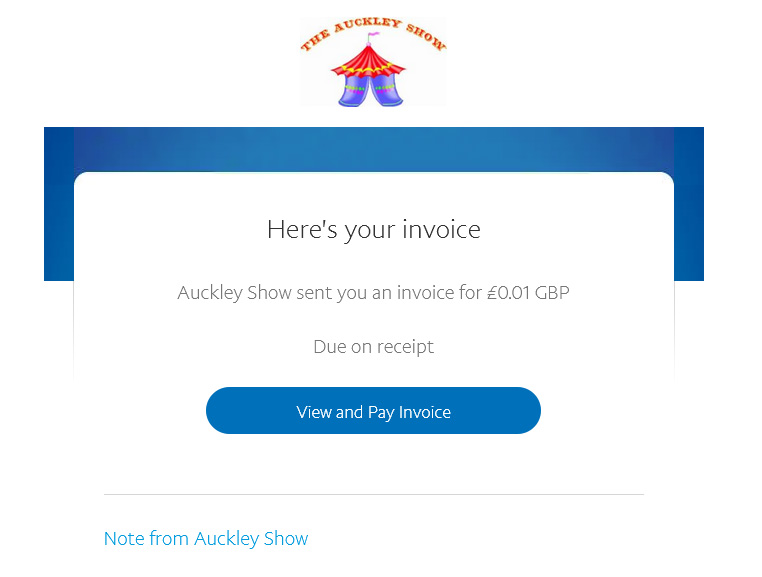
when you click on the button “View & Pay Invoice” a window should open in your browser showing the invoice and how much to pay
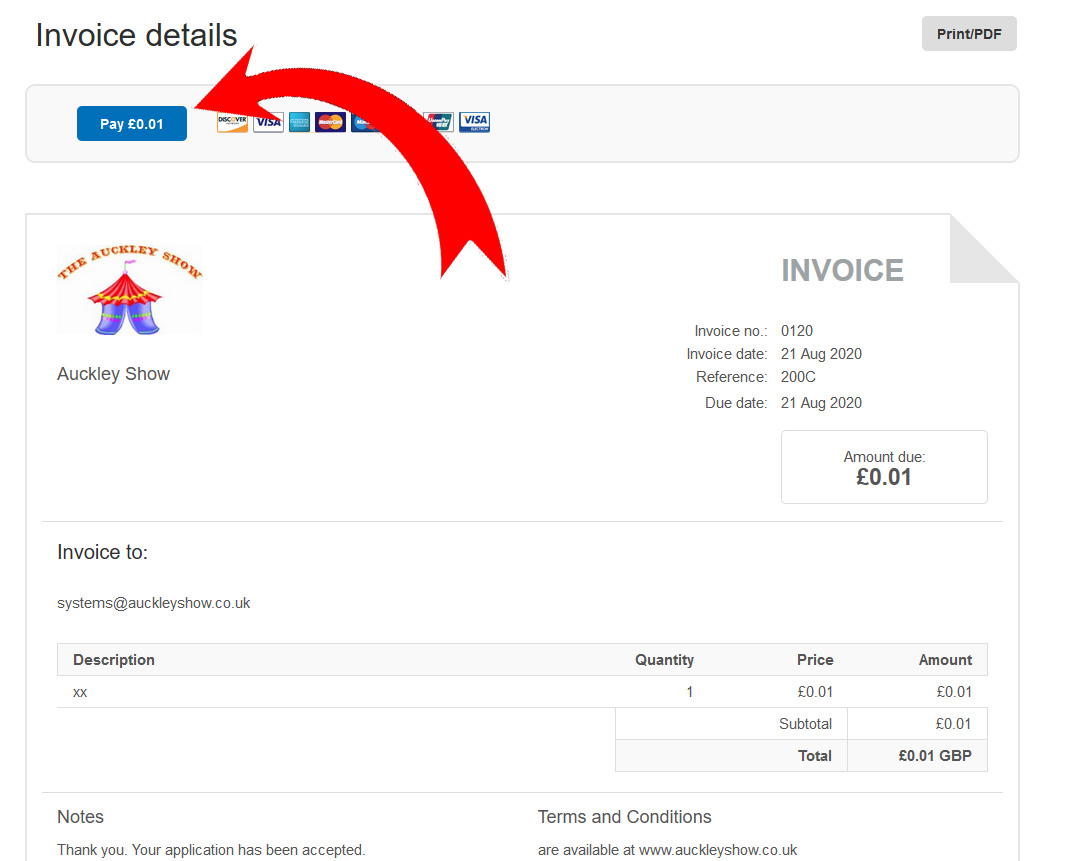
OR
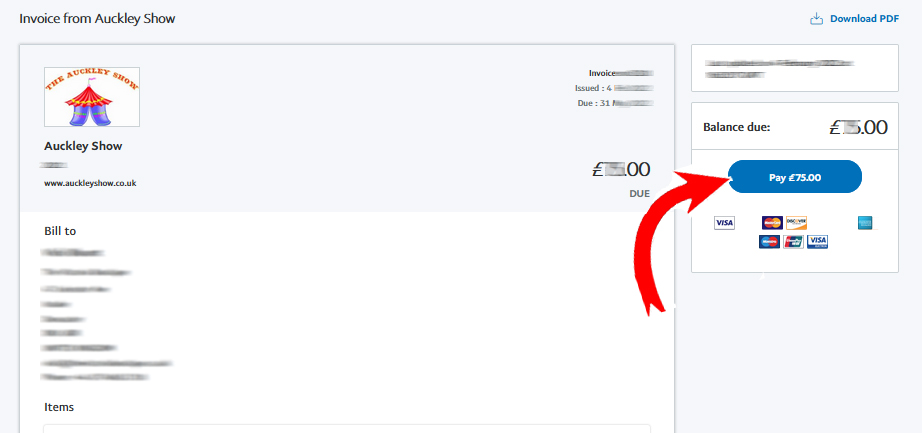
you need to click on the blue box that says “Pay £xx.xx”
This then opens a pop up window linking into the secure payment system
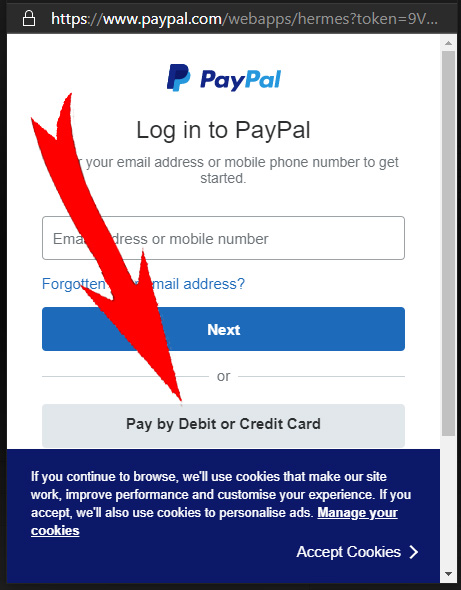
If you have a PayPal account
you can log into that account
Or you can use the system without a paypal account
by clicking on “Pay by Debit or Credit Card”)
If you select “Pay by Debit or Credit Card” the following window should open
The window is shown below as complete, you may need to scroll down to see the entire view
ALL boxes must be completed, otherwise the window will refresh and highlight incomplete sections. (You may need to scroll to see them)
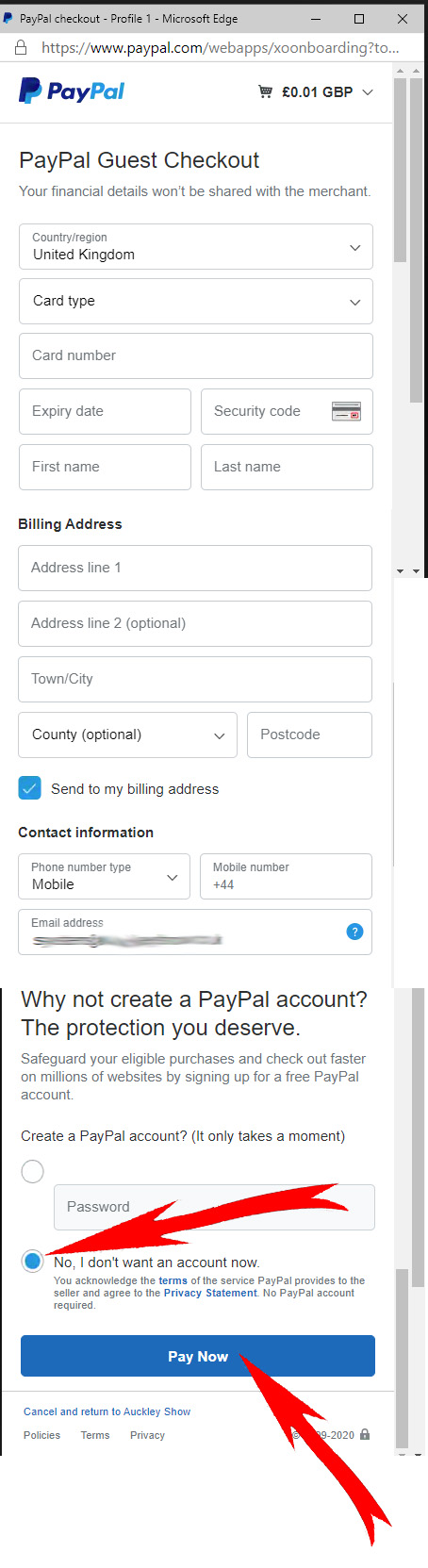
**You do NOT need to create a paypal account, simply click on the box that says “No, I don't.....” (scroll down to see where these boxes are)
Once filled in, complete the payment by clickin on “Pay Now”
A window may briefly open whilst the payment is processed. Please wait and do not close the window.
( If your bank requires any further security process, this may happen now. This is done by your own bank, please follow their instructions as shown on screen. )
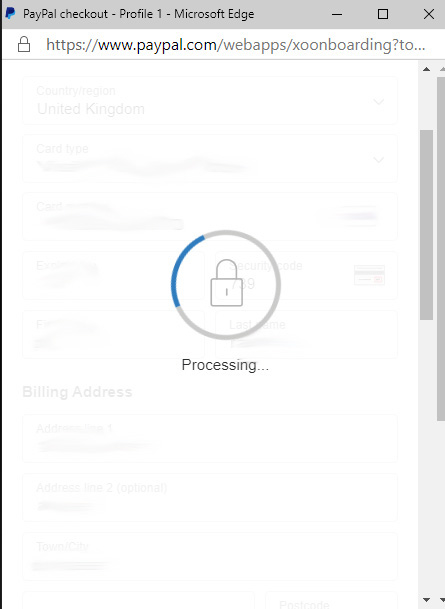
Once the payment has been accepted, the window will close and you will be returned to the original invoice.
You will see that the invoice is now showing that it has been paid. (Green Box at top)
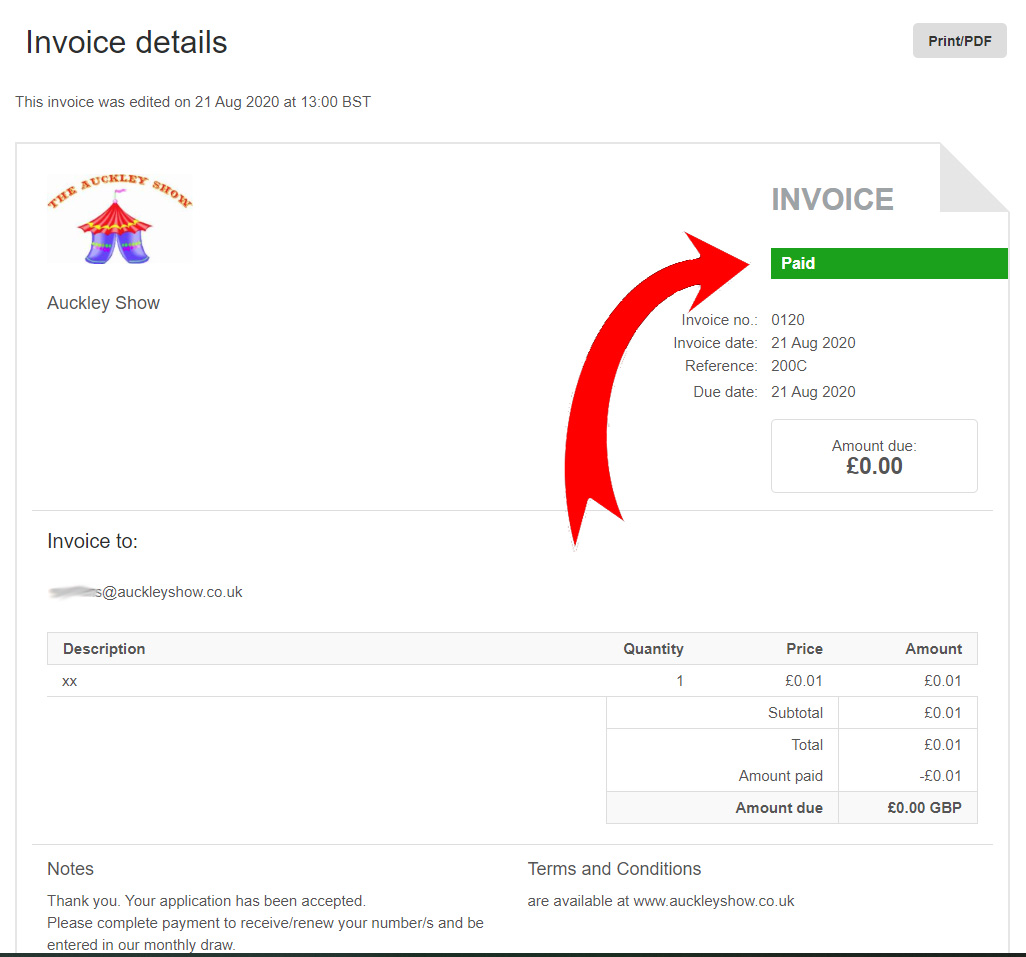
If the green “Paid” box does not appear, then your payment has not been completed. In that case please check your account, we are also happy to check our account for you if you ask. You can restart the payment process if you wish We have set our system so that it will not allow you to pay twice if the first payment has already been accepted.